
The landscape of digital marketing is undergoing a seismic shift. We have moved past the novelty phase of chatbots; we are now in the era of systemic AI content creation. Today, the creators and brands dominating social media algorithms are not those working the hardest, but those leveraging intelligent pipelines to scale their output without sacrificing quality.
However, a dangerous misconception plagues the industry: the belief that AI content creation simply means writing a prompt and copying the result. This lazy approach leads directly to generic, invisible content. True AI content creation is an architectural process. It is about building a workflow that amplifies your unique expertise through machine efficiency.
In this comprehensive pillar guide, we will deconstruct the modern AI content creation pipeline. We will explore why content creation is more than just writing, how to structure your workflow, where visual formats like carousels fit in, and how to use GoToFlow for an end-to-end carousel workflow.
A useful AI pipeline starts with source quality Begin with real expertise or source material, then shape the narrative, visual format, slides, CTA, and review process.
What AI Content Creation Actually Means
The AI social-media manager guide separates repeatable production tasks from the editorial judgement and customer context a person still needs to provide.
To master AI content creation, we must first redefine it. It is not a magic button that generates virality. It is a collaborative process where the human acts as the strategic director, and the AI acts as the tireless executioner.
The Problem with "Just Writing"
When most people think of AI for content, they think of text generation. They log into a Large Language Model (LLM), type "write a LinkedIn post about leadership," and hit enter. The result is inevitably a bland, bulleted list filled with corporate clichés.
This happens because the human failed to provide the crucial ingredient: perspective.
AI content creation is not about outsourcing your thinking; it is about outsourcing the friction of formatting. Your job is to provide the raw insight, the controversial opinion, or the hard-earned data. The AI's job is to take that raw material and structure it optimally for a specific social media platform.
The End-to-End AI Content Pipeline
To consistently produce high-performing content, you must stop treating AI as a slot machine and start treating it as an assembly line. A professional AI content creation pipeline consists of the following distinct stages:
Stage 1: The Idea and Source Material
Never ask AI to generate an idea from a blank slate. Start with source material. This could be a 30-minute podcast you recorded, an insightful email you sent to a client, a comprehensive blog article you wrote, or a messy voice note containing your raw thoughts. This source material contains your unique voice and facts.
Stage 2: Structure and Extraction
For editing the actual copy, the social-media writing guide explains how to turn notes into a specific opening, readable argument, and next step. Feed your source material into the AI with a specific extraction prompt. Instead of asking it to "write a post," ask it to: "Extract the three most counter-intuitive points from this transcript and format them according to the Problem-Agitation-Solution (PAS) framework." You are using AI for structural engineering, not creative writing.
Stage 3: Formatting for the Medium
When the destination is a Facebook page, the Facebook post preparation guide shows how to turn a brief into platform-appropriate copy and visuals before review. A block of text needs a presentation suited to its destination. A visual carousel can suit a sequence, comparison or illustrated explanation on LinkedIn or Instagram; it is not universally the strongest format. For an illustrative eight-slide outline, ask: "Take this structured text and propose an 8-slide carousel script. Aim for under 25 words per slide, without dropping necessary qualifications." Check the result rather than treating those sample limits as a performance rule.
Stage 4: Visual Direction and Design
This is where traditional AI workflows break down. You have a great script, but now you have to manually copy-paste it into a design tool like Canva or Figma, adjusting font sizes and alignments for an hour. A modern pipeline automates this.
Stage 5: The Call to Action (CTA) and Publishing
The final asset must drive a business goal. The pipeline concludes by generating a compelling CTA slide and exporting the final visual asset (PNGs or PDFs) ready for the platform.
Where AI Truly Excels in the Workflow
Understanding the strengths and weaknesses of artificial intelligence is crucial for building a successful pipeline. Here is where you should lean heavily on AI:
When Visual Carousels Fit the Output
Choose a carousel when several pages help the reader follow the explanation. A short announcement may need only text or one image. This guide does not establish a reach or return advantage over other formats; compare your own posts with similar topics and goals before drawing that conclusion.
The Algorithmic Advantage
A carousel lets you present an explanation across several slides. That can suit a process, comparison, or visual reference, but it does not prove a particular reading time or distribution boost. Choose the format for the message and measure the result in the platform analytics.
The Cognitive Advantage
A relevant diagram or annotated example can explain a relationship that would be difficult to describe in a paragraph. Each slide should add a necessary step, comparison or reference. If the visual merely repeats the sentence or loses context, a carousel does not make the explanation more useful; this article supplies no measured retention increase.
Common carousel frameworks include:
How to Avoid the "Generic AI" Trap
The greatest threat to your content strategy is blending in. If your AI content creation process yields results that sound like everyone else's, you will lose your audience's trust. Here are the guardrails to keep your content sharp and authentic:
1. Feed It Specificity
The ten ChatGPT use-case examples show ways to request angles, hooks, and content matrices without substituting invented facts for a real brief. AI cannot hallucinate your personal experience. If you are writing about sales, don't ask the AI to "write about sales strategies." Instead, write a prompt like: "I just lost a $50k deal because I didn't identify the true decision-maker early enough. Write a post analyzing this mistake." The specificity of the input leads to the uniqueness of the output.
2. Enforce Strict Constraints
Left to its own devices, AI will write flowery, verbose paragraphs. Constrain it. Use prompts like: "Use a maximum of 3 sentences per paragraph. Do not use adverbs. Write at an 8th-grade reading level. Tone: direct and professional."
3. The "Anti-Cliché" Rule
Explicitly forbid the AI from using certain phrases. Common AI tells include words like "delve," "navigate," "in today's fast-paced world," and "unlock your potential." Add an instruction to your prompt: "Do not use corporate jargon or generic introductory phrases."
The GoToFlow End-to-End Carousel Workflow
Before choosing a production tool, use the generator evaluation criteria to check output format, source handling, and the review steps your team needs.
As we discussed in Stage 4 of the pipeline, the biggest bottleneck in AI content creation is the transition from text to design. You can generate a brilliant carousel script in seconds, but executing the design manually ruins the efficiency of the AI workflow.
This is where GoToFlow handles the full carousel process, connecting source analysis, narrative structure, slide copy, visual direction, finished slides, and CTA in one workflow.
How the GoToFlow Workflow Operates
Instead of juggling multiple AI chat interfaces and complex graphic design software, you utilize a single, unified platform:
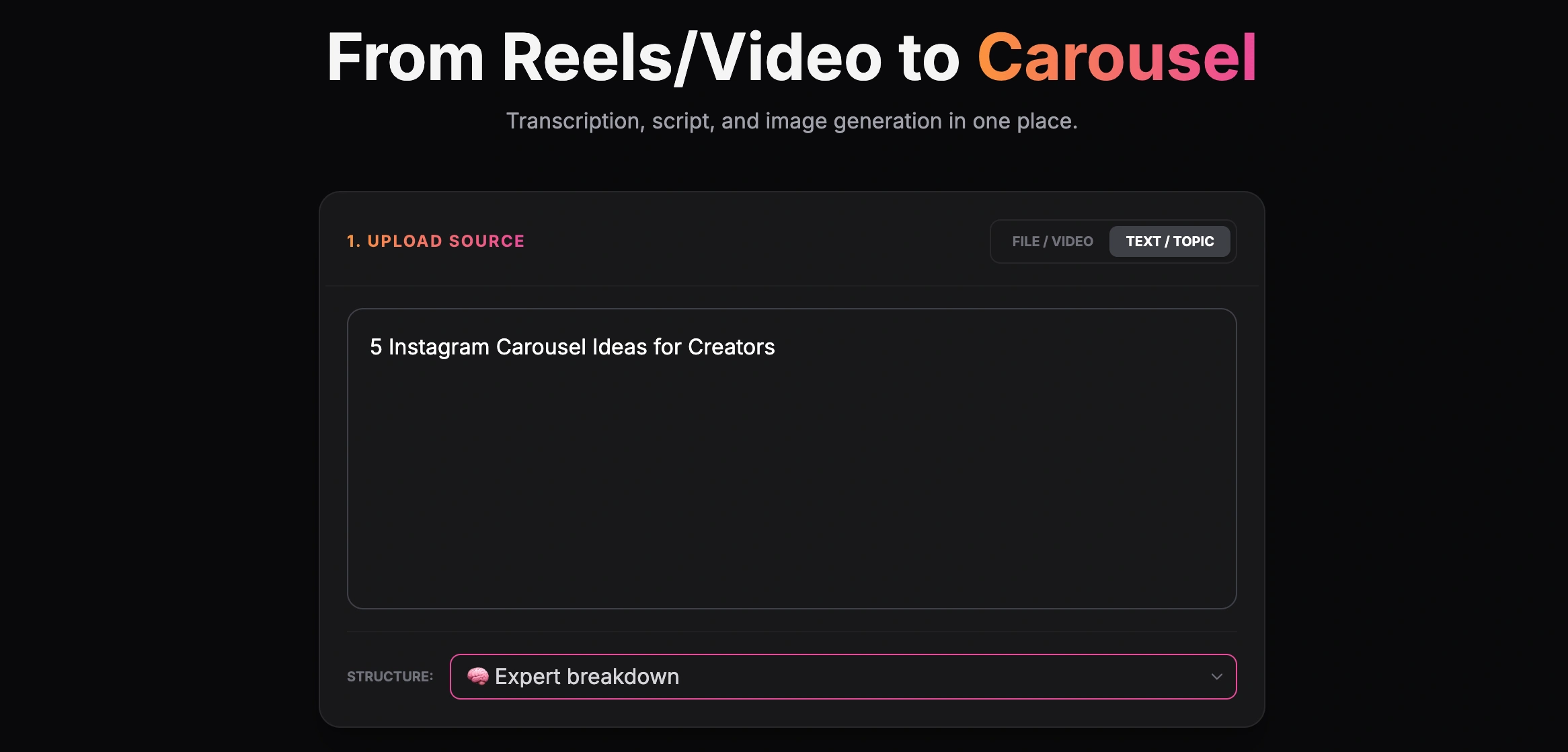
Creating a carousel from a text topic

Finished carousel result inside the GoToFlow editor
By using GoToFlow, you are not just generating text; you are generating a complete, publishable asset. You bypass the design bottleneck entirely.
Practical Examples of AI Content Workflows
The following are illustrative editorial scenarios, not measured customer cases or verified GoToFlow outputs. Use your actual material and check the generated result.
The B2B Founder's Workflow
For the editorial choices before generation, the founder content strategy distinguishes proof of work, opinions, and lessons from a product pitch. A SaaS founder wants to share industry insights but has zero time for design.
The Content Marketer's Repurposing Strategy
The blog-to-LinkedIn outline example demonstrates which parts of a long article belong on slides and which should stay in the original. A marketing team spends two weeks writing a massive, data-driven pillar article for their blog. They need to distribute this content across social channels to drive traffic back to the site.
The Educator's Micro-Learning Content
An online course creator wants to share daily tips on Instagram to build their audience.
Embracing AI content creation is no longer optional for those who want to remain competitive. By understanding that AI is a structural tool rather than just a writer, and by utilizing end-to-end platforms to automate visual formatting, you can scale your content output exponentially while maintaining the high quality and authenticity your audience demands.
Integrating Analytics into the AI Pipeline
A true AI content creation pipeline doesn't end when you hit "Publish". The final stage of a mature workflow is closing the feedback loop using data analytics. If you are generating content at scale, you must measure its effectiveness to refine your future inputs.
The Problem with Vanity Metrics
When people start using AI, they often see a sudden spike in impressions simply due to increased posting volume. However, impressions are a vanity metric. What matters in a B2B or specialized B2C context is engagement depth: how many people swiped to the last slide of your carousel? How many clicked the CTA link? How many saved the post?
Feeding Data Back to the AI
For a team producing client content, the SMM-agency workflow turns those observations into briefs, reviews, and repeatable production decisions. The most sophisticated creators use these metrics to improve their AI prompts. If you notice that carousels built on the "PAS" (Problem-Agitation-Solution) framework have a 20% higher completion rate than those built on listicles, you update your standard prompt. You instruct the AI: "Use the PAS framework exclusively, as our audience data shows higher retention for narrative-driven structures."
Furthermore, if a specific post underperforms, you don't just guess why. You feed the text back into your AI and ask: "This post had a low retention rate. Analyze the pacing and structure. What changes would make it more engaging for a technical audience?"
This iterative process keeps AI content creation focused on continuous, data-informed improvement rather than speed alone. Treating the workflow as measurable helps teams learn from results without promising a specific growth outcome.