
Writing consistent, engaging content for a Facebook Business Page or personal brand can quickly become exhausting. Unlike platforms that rely purely on visuals (like Instagram) or short text (like X), Facebook audiences respond to a mix of storytelling, community questions, and visual appeal.
Many creators and business owners struggle to maintain a steady publishing schedule. When they turn to AI, they often end up with generic, robotic text that alienates their audience. Using an AI Facebook post generator effectively means moving beyond basic prompts. It requires a structured workflow that combines your unique context with AI's ability to format, optimize, and visually present your message.
What you need to know
How to use AI for Facebook content
The broader AI content creation workflow covers source selection and review; the steps below adapt that process to a Facebook update.
Writing a prompt like "Write a Facebook post about my bakery" will yield generic results. To get the most out of an AI generator, you need a structured workflow that guides the AI from an abstract idea to a concrete, engaging post.
Phase 1. Define the Goal and Audience
Before touching the AI tool, determine what you want the post to achieve. Are you trying to drive traffic to a blog post, ask a question to boost engagement, or announce a new product? The AI needs to know the objective to structure the Call to Action (CTA) correctly. Additionally, specify the target audience so the tone matches their expectations.
Phase 2. Provide the Core Context
Feed the generator the raw facts. Never rely on AI to hallucinate your business details.
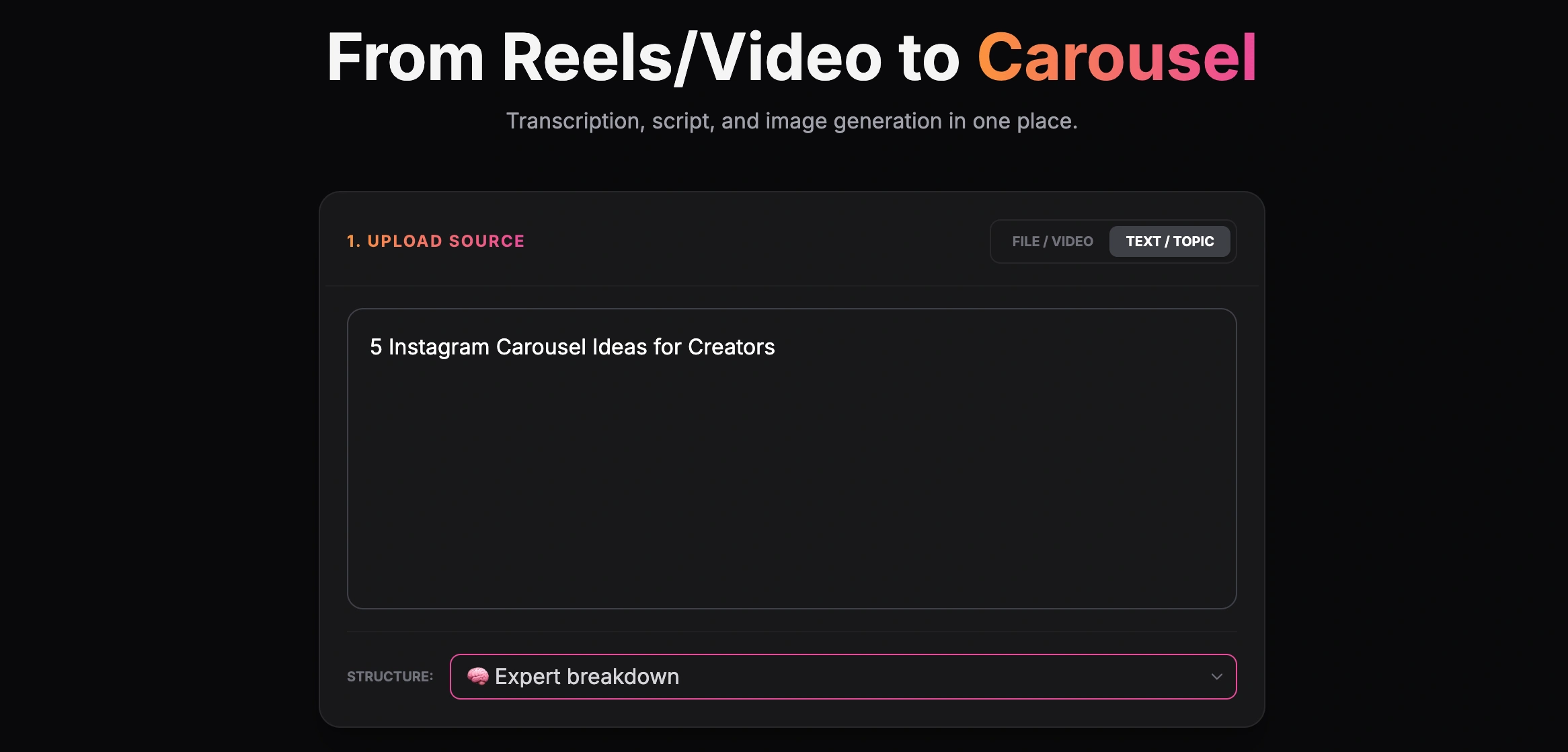
Creating a carousel from a text topic
Phase 3. Specify the Formatting and Tone
Instruct the AI on how to format the text. For Facebook, the best practice is to request short paragraphs, strategic use of emojis (but not overly spammy), and a clear hook in the first sentence. Tell the AI explicitly: "Use a conversational tone, keep sentences short, and use bullet points for the main features."
Phase 4. Generate Visuals (The Missing Link)
Choose a visual when it helps explain the material, rather than assuming every text post needs one. GoToFlow can turn source material into a carousel with copy and design. Review the slides against your source and inspect the export before publishing.
Need to adapt this for other professional networks? Read our guide to AI LinkedIn Post Generators.
Examples of AI Facebook Posts
Here are practical use cases for preparing copy and visuals with an AI post generator. Review the result against your source; any time savings or quality improvement require your own measurements.
1. The Local Business Update
If you need a starting angle rather than another generated paragraph, the small-business Facebook ideas cover local updates, questions, and useful customer information.
Input: "We are opening our new coffee shop branch downtown this Friday. 20% off all lattes for the first 50 customers."
AI Output: A structured post with a strong hook ("Downtown just got a lot more caffeinated! ☕️"), clear formatting of the offer, and a closing CTA asking locals to tag a coffee buddy.
2. The B2B Educational Post
Input: "3 reasons why small businesses fail at local SEO: ignoring Google Business Profile, bad reviews, no local keywords."
AI Output: An educational carousel post where each reason is broken down into a separate, easy-to-read slide, accompanied by a caption that encourages questions in the comments.
3. The E-commerce Product Launch
Input: "New summer collection of sustainable sunglasses. Eco-friendly materials, UV400 protection."
AI Output: A lifestyle-focused post highlighting the benefits rather than just the features, complete with engaging emojis and a soft CTA leading to the store link.
4. The Creator Storytelling Post
Input: "I failed my first business in 2019, but learned how to manage cash flow. Here is what I do differently now."
AI Output: A compelling, multi-paragraph story formatted for readability, designed to keep users clicking "See more" and driving deep engagement.
Best Practices for Facebook AI Prompts
To avoid the "AI voice," use structured prompts that give the generator strict boundaries.
Reusable prompts
Common Mistakes to Avoid
When generating Facebook posts, many users fall into traps that kill their reach.
Overusing Hashtags
Unlike Instagram or X, Facebook is not heavily driven by hashtags. Using 15 hashtags looks spammy on a Facebook post and can actually deter engagement. Limit yourself to 1-3 highly relevant tags, or skip them entirely.
Posting "Naked" Links
Use a link preview when the linked material is the point of the post. Use images or a carousel when the post itself explains the material. In either case, make the next step easy to find instead of hiding it to chase an assumed algorithm advantage.
Sounding Like a Bot
Openings such as "In today's fast-paced digital world..." or "Delve into..." are generic, but do not prove how a text was written. Replace empty phrases with the reader's concrete question and check the tone against your brief.
For a tutorial, case study, or product announcement, choose the format that explains the material. A carousel can present a multi-part sequence; a text post may suit a short update. GoToFlow generates carousel copy and visual slides from your source. Check factual accuracy, readability, and the export before publishing; record any time savings rather than assuming them.