
LinkedIn carousels work because they turn one useful idea into a sequence people can swipe, save, and revisit.
They also solve a practical content problem. A plain text post can disappear quickly in the feed. A carousel gives the reader a reason to pause: slide one creates curiosity, the middle slides deliver value, and the final slide gives the reader a clear next step.
The hard part is not always design. It is knowing what to post.
Use this list as a swipe file for your next LinkedIn carousel. The ideas are grouped by format, so you can pick a category, choose a topic, and turn it into a slide sequence.
If you already have a topic in mind, you can also create a LinkedIn carousel with GoToFlow and turn the idea into a ready carousel workflow instead of starting from a blank page.
5 proven LinkedIn carousel formats
The strongest LinkedIn carousel ideas usually fit one of these formats:
A good idea is not enough by itself. Make the promise specific, keep one point per slide, and end with a CTA that fits the post.
Why LinkedIn carousel ideas matter
LinkedIn carousels often earn more saves and longer reading time than short text posts because the format encourages people to move through the idea one slide at a time.
That does not mean every topic deserves a carousel.
The format is strongest when the reader needs structure:
If the idea can be explained in one sentence, write a text post. If the idea becomes clearer when broken into steps, slides, examples, or phases, it is a good carousel candidate.
Thought leadership and industry insights
Use these when you want to show judgment, not just share tips.
One trend per slide, with a short explanation of why it matters.
Turn experience into practical lessons that younger professionals can save.
Use this when you can defend each opinion with a strong reason.
Make each prediction concrete and avoid vague hype.
Pair each myth with the better way to think about it.
Break down one public example and extract practical takeaways.
Keep the focus on the reader's daily work, not just the technology.
How-to and educational carousel ideas
These are useful when the reader wants a repeatable process.
Put one step on each slide.
Show the order of learning so beginners know where to start.
A strong contrast makes the hook more interesting.
Give each framework a name, use case, and short example.
Use a transformation story with specific lessons.
Show your workflow instead of giving generic advice.
Pair each mistake with a practical fix.
Build a save-worthy reference post.
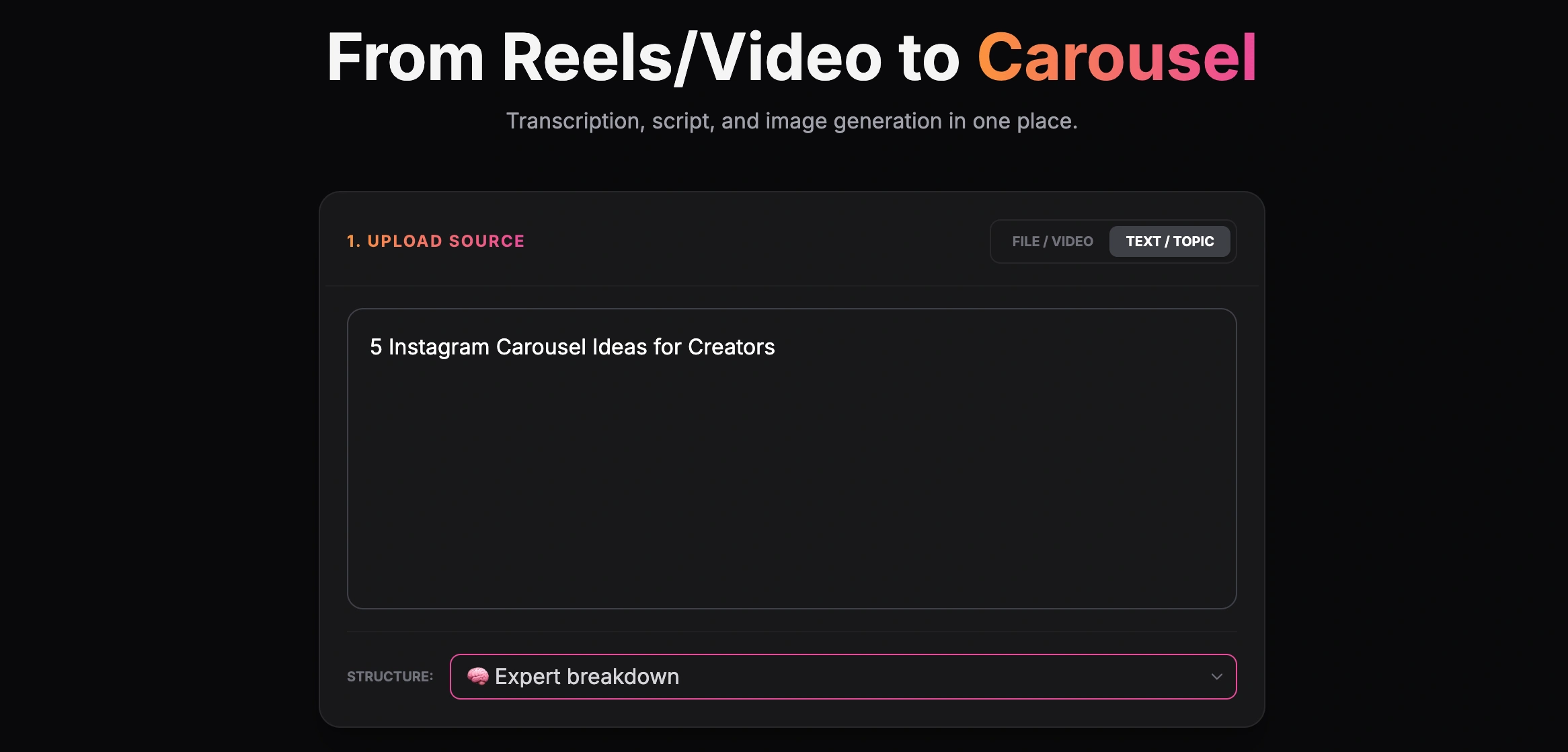
Creating a carousel from a text topic
Data and statistics carousel ideas
Use data when you want the post to feel credible and easy to reference.
Use one stat per slide and explain the implication.
Show the starting point, the change, and what caused the improvement.
Summarize research in plain language.
Make the financial or time-saving logic easy to follow.
Create a reference carousel people can save.
Personal branding carousel ideas
These ideas help readers understand how you think, work, and make decisions.
Keep it relevant to the work, not just lifestyle detail.
Each slide should teach one hard-earned lesson.
Use insider perspective, not vague motivation.
Include why each tool matters, not just a list.
Make the lesson useful for the reader.
Add one practical takeaway from each book.
Show the decisions and tradeoffs, not only the polished result.
Listicles and quick wins
Listicles work when the promise is clear and each item is immediately useful.
Add one use case per tool.
Avoid recycled advice. Use examples from real posting experience.
Include prompts that solve specific problems.
Make the habits observable and practical.
A stop-doing list can be stronger than another tips post.
Explain who each newsletter is best for.
If you want prompt-based formats, pair this article with LinkedIn carousel prompts and adapt the prompts to your niche.
Engagement driver carousel ideas
Use these carefully. They are designed for comments, but they still need value.
Make the statement specific enough to discuss.
Works well for tools, frameworks, habits, and common advice.
Compare two strategies and ask people to explain their choice.
Use when the audience has strong opinions.
Best when the carousel is genuinely helpful or funny.
Content creation and strategy ideas
These ideas are especially useful for creators, consultants, founders, and marketers.
Show pillars, cadence, formats, and measurement.
Turn a newsletter, article, podcast, or webinar into multiple assets.
Break down hook, premise, proof, pacing, and CTA.
Give people a simple planning structure.
Show bad hooks, better hooks, and why the better version works.
Compare assumptions with real results.
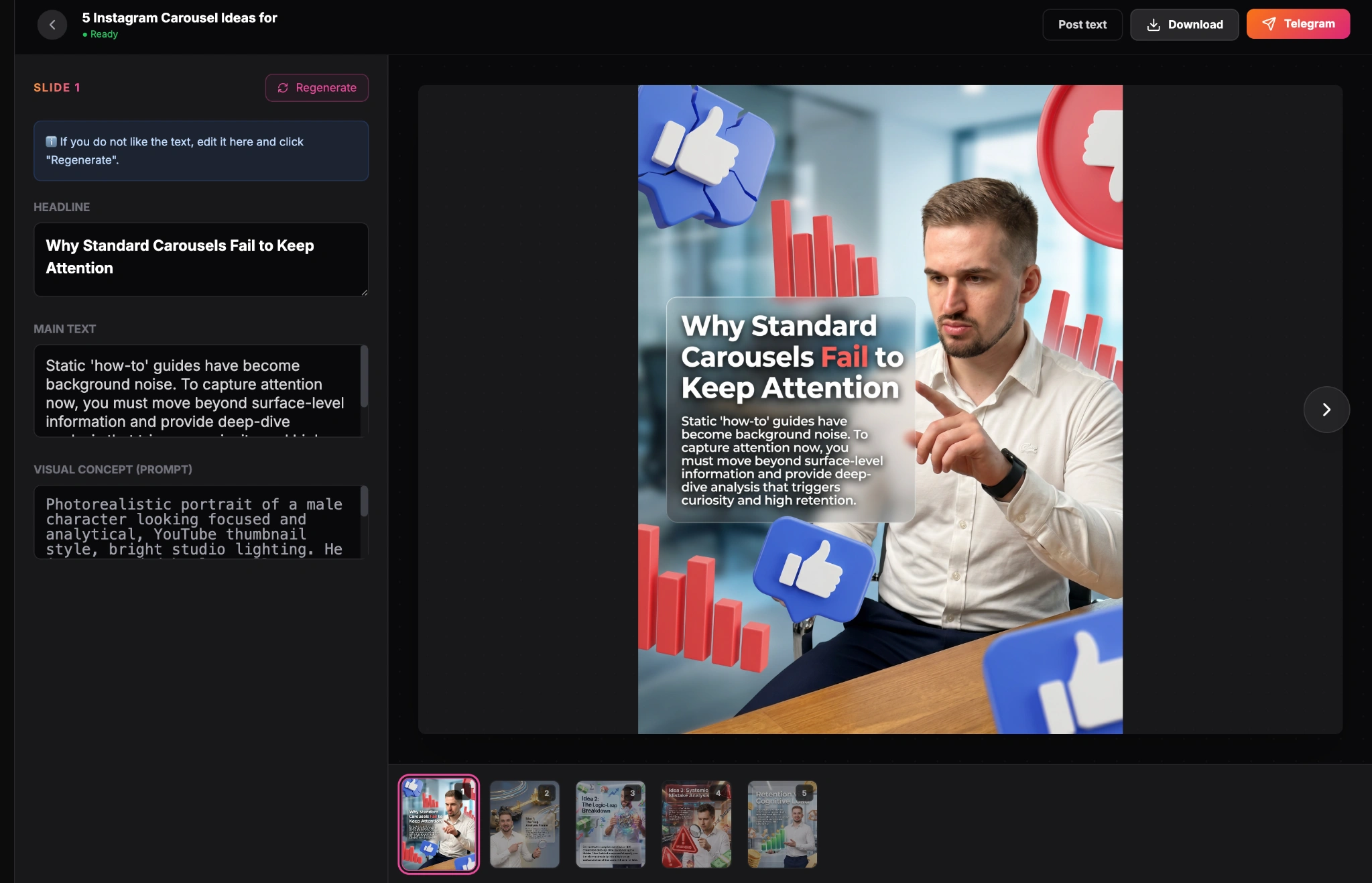
Finished carousel result inside the GoToFlow editor
Career and professional growth ideas
These formats work well because people use LinkedIn for career decisions.
Connect each skill to a real workplace change.
Make each slide one practical move.
Show examples and explain what they signal.
Break the transition into skills, proof, network, and positioning.
Focus on projects that create visible proof of skill.
Explain the signals behind experience, portfolio, and communication.
How to turn an idea into a LinkedIn carousel
Once you choose an idea, the next step is to convert it into a slide sequence.
A practical structure looks like this:
You can do this manually in a design tool, but it takes time to move from topic to structure to slide copy.
With GoToFlow's LinkedIn carousel maker, you can start with a topic, article, or outline and turn it into a ready LinkedIn carousel workflow you can review, adjust, and export.
For a deeper workflow, read the step-by-step guide on how to make a LinkedIn carousel with AI.
Tips for high-performing LinkedIn carousels
Keep these rules in mind when you turn any idea into slides:
Put the ideas into practice
Choose one idea from the list, write a clear promise for the first slide, and map the rest into 6 to 10 slides.
Then turn the idea into a LinkedIn carousel in GoToFlow so you can review the structure, adjust the wording, and export the final PDF.