
If people don't stop at the first slide of your carousel, the rest of your content doesn't matter. The first slide is your hook, your headline, and your pitch all rolled into one.
This guide offers 15 linkedin carousel hooks as wording patterns, not measured performance winners. Adapt the opening to material you can substantiate and check it against the following slides.
Quick Answer
A strong LinkedIn carousel hook usually falls into one of three categories:
Why the First Slide is Everything
A hook tells readers what the following slides will explain. Make that promise specific and deliver it in the document; the first slide alone cannot guarantee a click or platform distribution.
15 Hooks You Can Steal Today
Treat the examples as wording patterns, not verified personal stories or results. Replace any number, revenue claim, tool-testing count, or time saving with facts you can document; otherwise choose a non-numeric opening. For an illustrative onboarding checklist, “What to check before handing a project to a new teammate” promises a bounded task. The following slides can cover the brief, access, and acceptance criteria, with a final request to save the checklist. In GoToFlow, use your checklist as the source, review the generated sequence and hook together, and export only after the opening accurately describes the slides. Do not attach an invented client result to that workflow.
Hook 1: The "X to Y" Transformation
Show the reader the exact journey you are about to take them on.
Hook 2: The "Mistakes You're Making" Warning
Fear of missing out (or doing something wrong) is a powerful motivator.
Hook 3: The Curated Resource List
Save people time by doing the heavy lifting for them.
Hook 4: The Contrarian Truth
Challenge a widely held belief in your industry.
Hook 5: The "Steal My Strategy"
Offer a framework you can explain and support with your own material.
Hook 6: The Unpopular Opinion
Spark a debate in the comments.
Hook 7: The "How I Survived" Story
Share a vulnerable moment and the lesson learned.
Hook 8: The Behind-the-Scenes Look
Give people a peek behind the curtain.
Hook 9: The "If I Had to Start Over"
Share the lessons you learned the hard way.
Hook 10: The Myth Buster
Correct a common misconception.
Hook 11: The "Do This, Not That"
Provide a clear comparison.
Hook 12: The Step-by-Step Blueprint
Promise a clear, actionable guide.
Hook 13: The Big Question
Ask a question that your target audience desperately wants answered.
Hook 14: The "Before and After"
Show the transformation clearly.
Hook 15: The Time-Saver
Promise to save the reader's most valuable asset.
Automating Your Hooks with AI
Writing great hooks is a skill that takes time to develop. But what if you could generate dozens of high-converting hooks instantly?
Using GoToFlow's LinkedIn carousel maker, provide a topic or an existing article as the source for a carousel. Review the proposed hook against that source and the final slides; it is not a proven performance result.
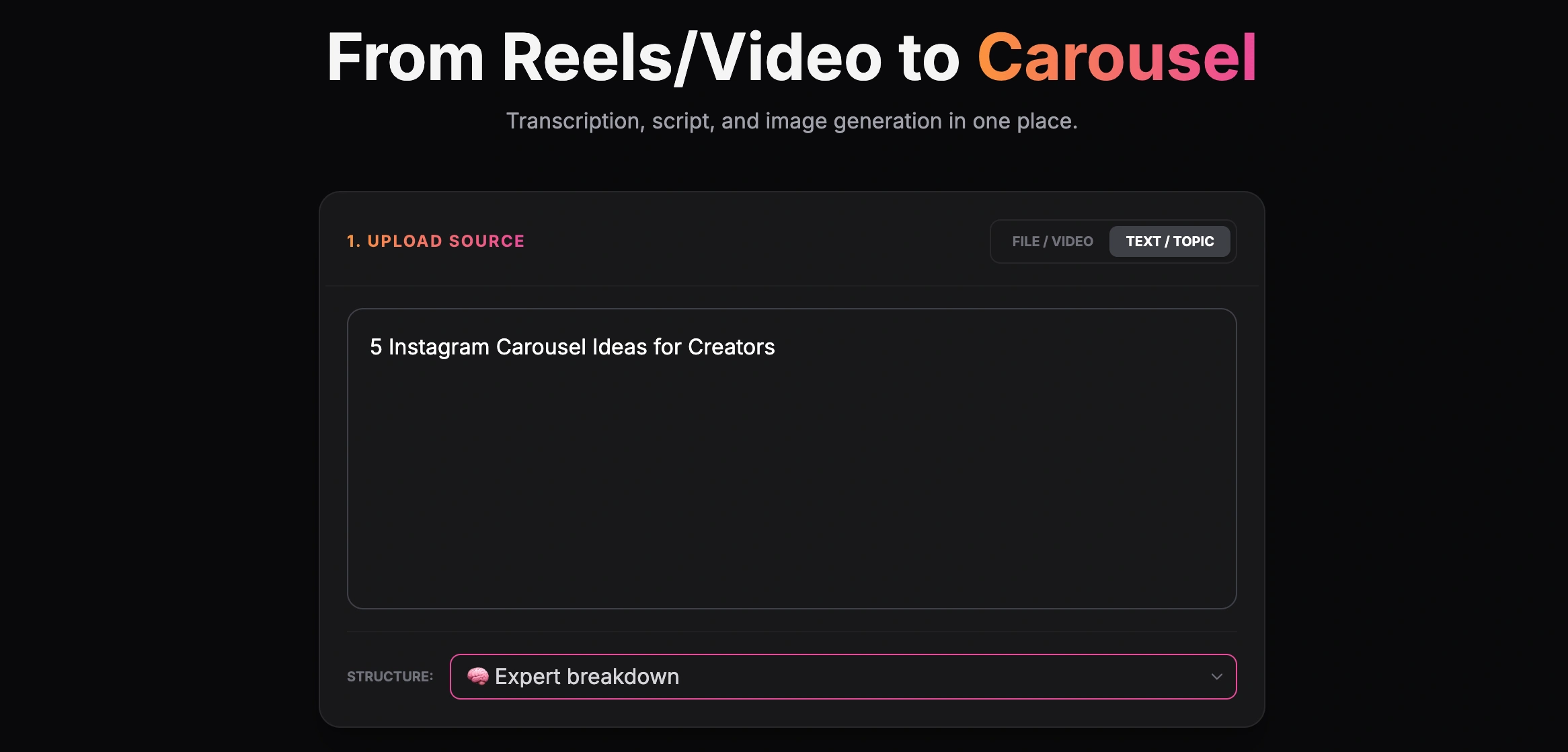
Creating a carousel from a text topic
The AI understands the psychology behind what makes people stop scrolling on LinkedIn and structures the text specifically for the visual format of a carousel.
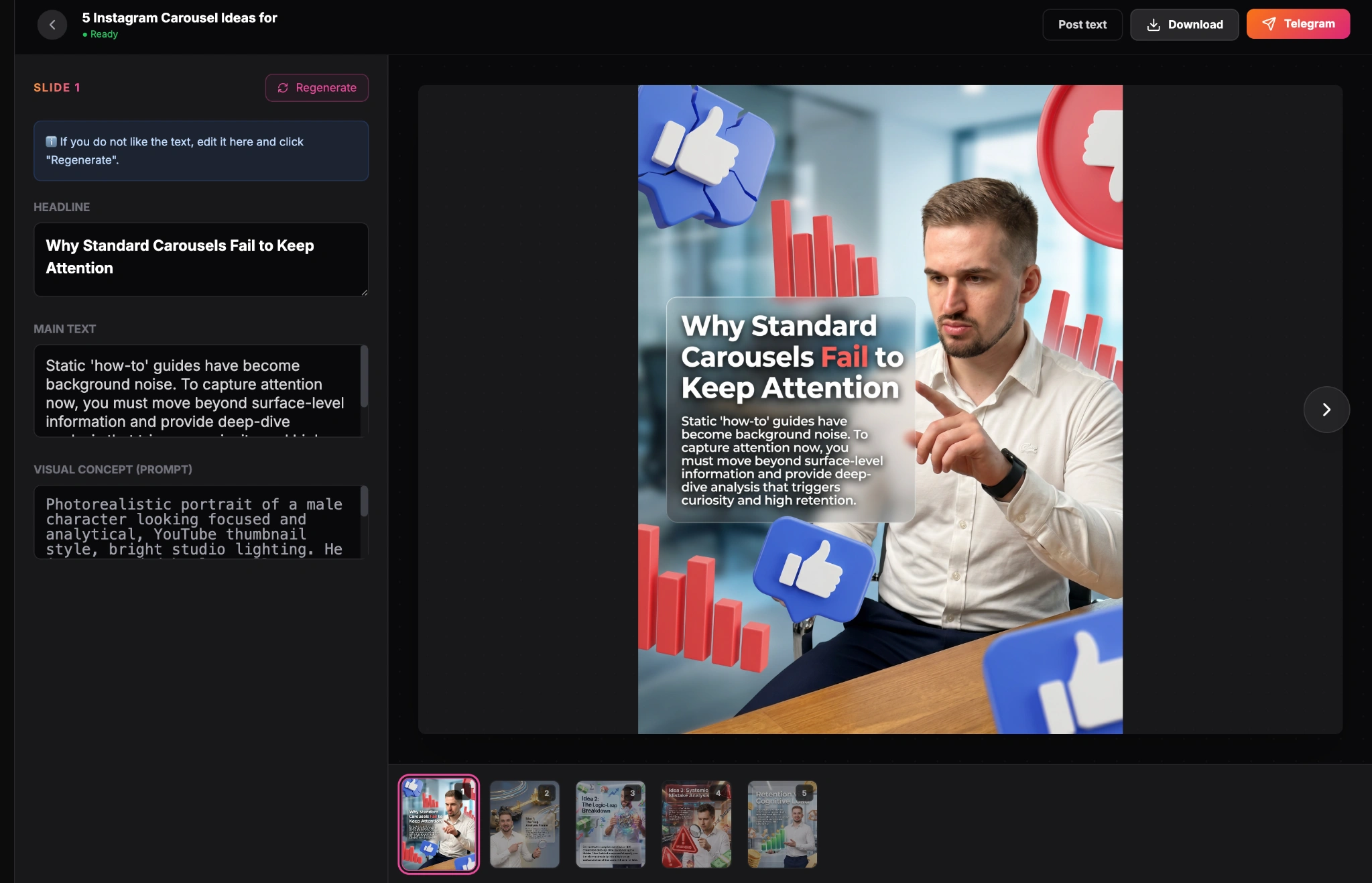
Finished carousel result inside the GoToFlow editor
How to Design Your Hook Slide
Even the best text can fail if the design is poor. Keep these design rules in mind for your first slide:
Turn a hook into a finished carousel
Pick one hook from this list, then create the LinkedIn carousel in GoToFlow so you can test the first slide, refine the flow, and export the final PDF.