
If you want to stop the scroll on LinkedIn, a well-designed carousel is your best bet. But staring at a blank slide isn't going to get you anywhere. You need inspiration.
In this post, we break down the best LinkedIn carousel examples and explain why they work. You'll learn how to structure your hook, design your slides, and craft a compelling call to action.
Quick Answer
A great LinkedIn carousel has:
Why You Need a LinkedIn Carousel Swipe File
Every great creator has a swipe file—a collection of examples they can reference when they need inspiration. Having a library of successful carousels helps you understand what resonates with your audience and allows you to reverse-engineer their success.
5 Real-World Carousel Examples
Example 1: The "Step-by-Step System"
This format is perfect for breaking down a complex process into easily digestible steps. Each slide introduces a new concept or action item.
Example 2: The "Before and After" Tear-down
Showcasing a transformation is a powerful way to demonstrate value. Start with the problem and use the subsequent slides to reveal the solution.
Example 3: The "Listicle" Breakdown
Similar to this article, a listicle carousel curates top tools, tips, or examples.
Example 4: The "Myth Buster"
Perfect for establishing authority in your niche by tearing down widely held beliefs.
Example 5: The "Mistake Breakdown"
Fear of making a mistake is a powerful psychological trigger. This format works exceptionally well for coaches and consultants.
Turn Inspiration into Execution with AI
Finding great linkedin carousel examples is only half the battle. You still have to write the content, format the slides, and export the PDF.
Instead of spending hours in Canva, you can create a LinkedIn carousel with GoToFlow and generate the entire structure from one topic or text.
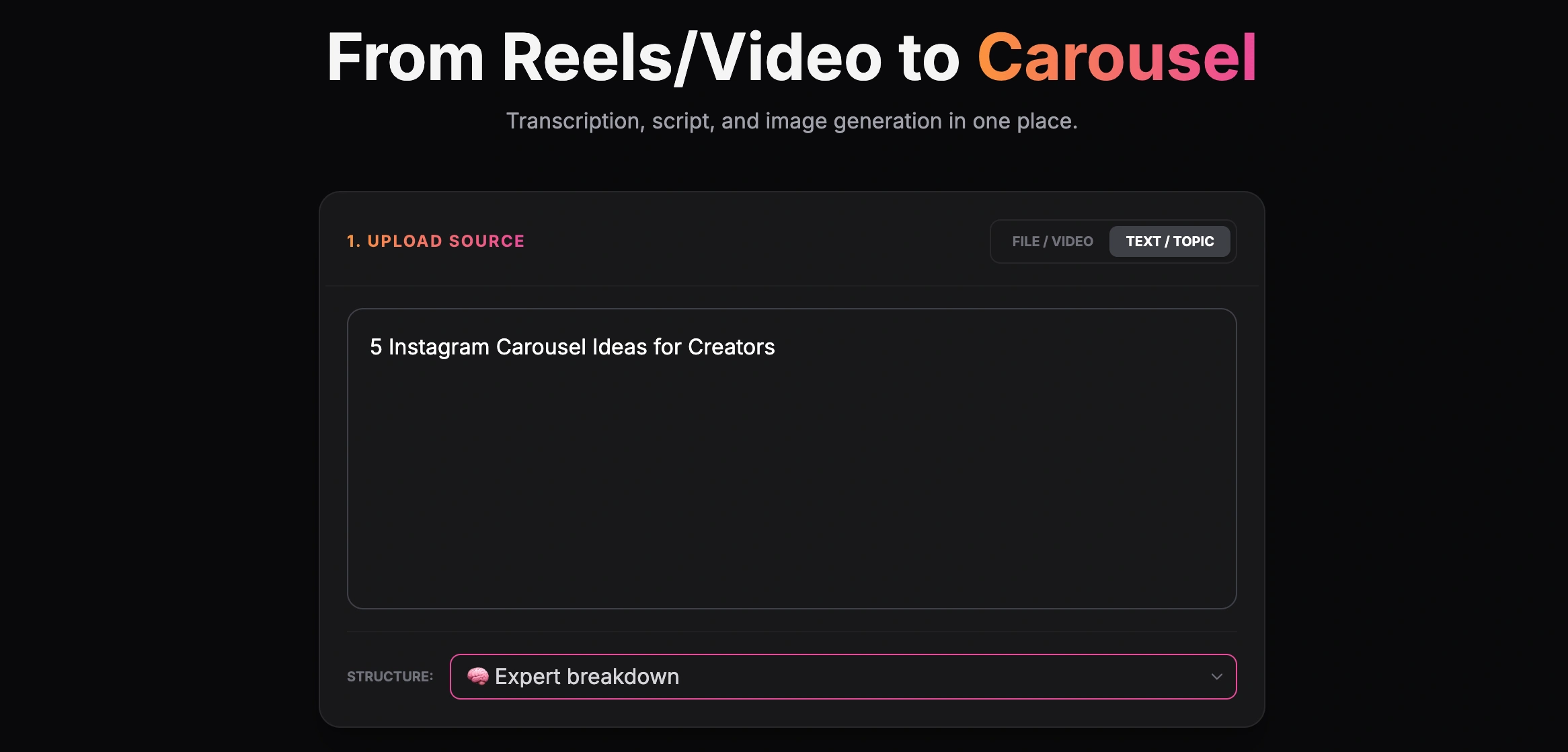
Creating a carousel from a text topic
By inputting your core topic or pasting a link to an existing article, GoToFlow can automatically structure your hook, body slides, and CTA.
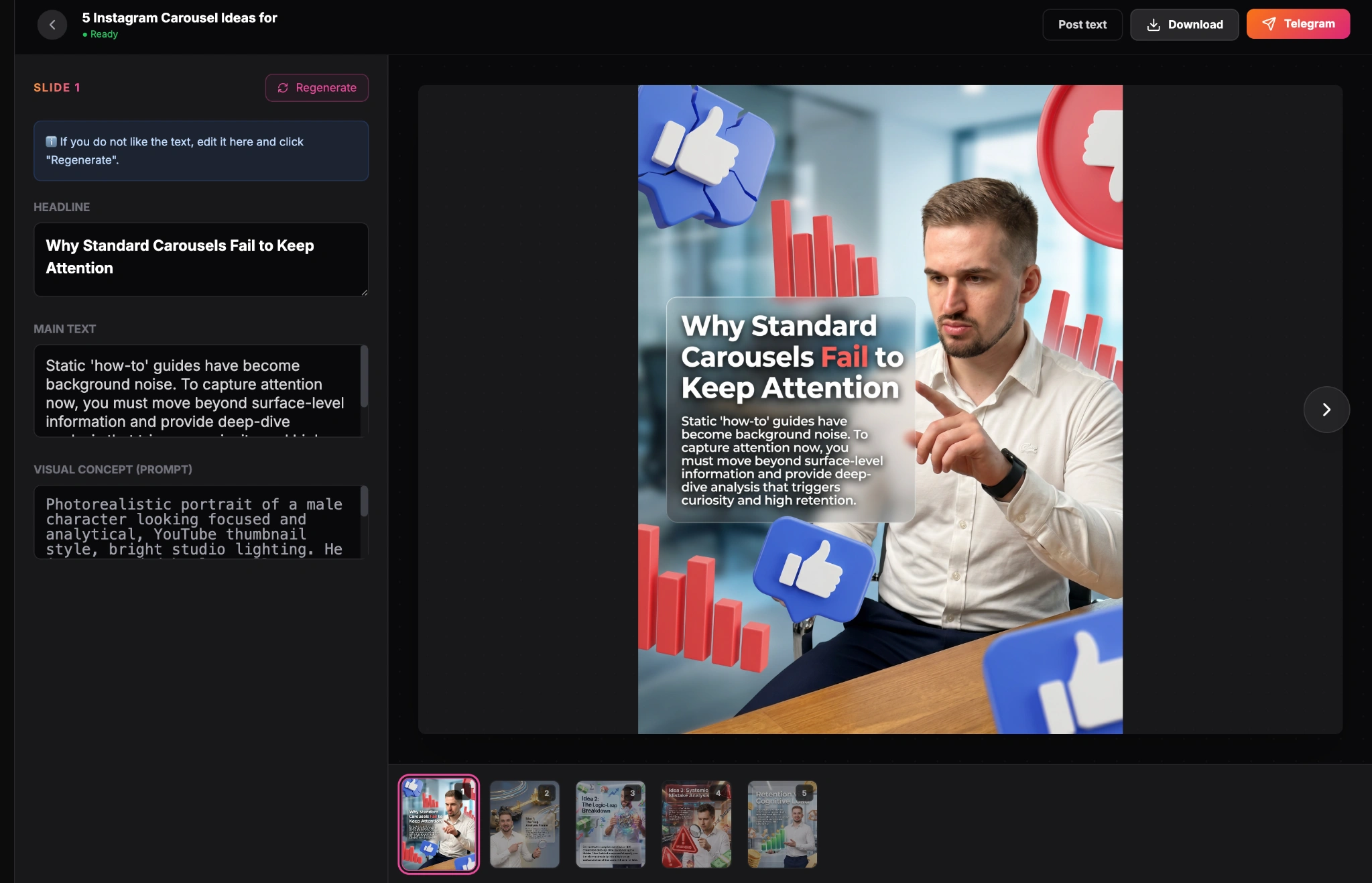
Finished carousel result inside the GoToFlow editor
Best Practices for Designing Your Own Carousels
Even if you use an AI generator, keeping these design principles in mind will elevate your content:
Put the examples into practice
Use the patterns above as a swipe file, then turn your own topic into a LinkedIn carousel in GoToFlow so you can review the slide order, adjust the wording, and export the final PDF.