
GoToFlow AI social media content generator logo
GoToFlow
HomeBlog10 Best Instagram Carousel Examples to Inspire Your Next Post
Carousel design

10 Best Instagram Carousel Examples to Inspire Your Next Post

Looking for inspiration? We break down the best Instagram carousel examples from top creators and explain exactly why they go viral.

listiclebest carousel examplesReviewed June 2026

LAST REVIEWED

Reviewed June 2026 — this guide is kept up to date for current AI content workflow practices.

Quick Answer

What you need to know

  • The best Instagram carousels share three traits: a scroll-stopping hook, minimal text per slide, and a clear visual hierarchy.
  • Top examples often use formats like 'Step-by-step guides', 'Mistake breakdowns', and 'Contrarian opinions'.
  • You don't need complex graphic design to recreate viral examples; clean, highly readable typography often performs best.

Best Instagram Carousel Examples to Inspire Your Next Post

Scrolling through Instagram, you have probably noticed that certain carousels make you stop, swipe through all 10 slides, and hit the save button.

What makes these posts so effective? It rarely comes down to complex graphic design. Instead, the best Instagram carousel examples rely on proven copywriting structures and clean visual layouts.

In this article, we will break down the core elements that make carousels go viral and provide frameworks you can easily replicate.

What Makes a Carousel Successful?

Before diving into specific structures, let's establish the ground rules of a high-performing carousel:

1The Scroll-Stopping Hook: The first slide has one job—to make the user swipe left. It usually features a bold statement, a surprising statistic, or a clear promise of value.
2Visual Breathing Room: The best examples never cram a full paragraph onto one slide. They use short sentences, bullet points, and plenty of negative space.
3The "Slide-Slip" Effect: Each slide naturally leads into the next, often using transitional phrases like "Here is why..." or "But there's a catch..."
4A Clear Call to Action (CTA): The final slide tells the reader exactly what to do next (Save, Share, Follow, or Click the link).

4 Proven Carousel Examples to Replicate

Instead of showing screenshots of specific accounts (since designs date quickly), let's look at the underlying structures of the most popular examples.

Example 1: The "Mistake Breakdown"

This format works exceptionally well for coaches and consultants.

Slide 1 (Hook): "3 silent mistakes destroying your [Goal]"
Slide 2: "Mistake #1: [The Mistake]"
Slide 3: "Why it happens & how to fix it."
Slide 4: "Mistake #2: [The Mistake]"
...
Slide 8 (CTA): "Which mistake are you making? Let me know below!"

Example 2: The "Step-by-Step System"

Highly savable content that provides immense value.

Slide 1 (Hook): "My exact 5-step system to achieve [Result]"
Slide 2: "Step 1: The Foundation"
Slide 3: "Action item for Step 1"
Slide 4: "Step 2: The Implementation"
...
Slide 10 (CTA): "Save this post for your next project."

Example 3: The "Myth Buster"

Perfect for establishing authority in your niche.

Slide 1 (Hook): "Stop believing this lie about [Topic]"
Slide 2: "The Myth: [Common belief]"
Slide 3: "The Reality: [The truth with proof]"
Slide 4: "Why the old way is broken."
Slide 5: "What you should do instead."
Slide 6 (CTA): "Send this to someone who needs to hear it."

Example 4: The "Before & After" Case Study

Ideal for designers, marketers, and fitness professionals.

Slide 1 (Hook): "How we took [Client] from [A] to [B] in 30 days"
Slide 2: "The Problem"
Slide 3: "The Strategy we used"
Slide 4: "Phase 1: Execution"
Slide 5: "The Results (Metrics/Screenshots)"
Slide 6 (CTA): "Want similar results? Link in bio."

How to Recreate These Examples Quickly

Pro tip

Don't overcomplicate the design If you look closely at top creators, many use plain backgrounds (dark mode or simple gradients) with bold, legible typography. The message is the design.

While you could spend hours in Canva trying to recreate these layouts manually, there is a much faster way.

Workflow insight

Use AI to structure your carousels Instead of manually placing text boxes, you can use an AI carousel maker to do the heavy lifting.

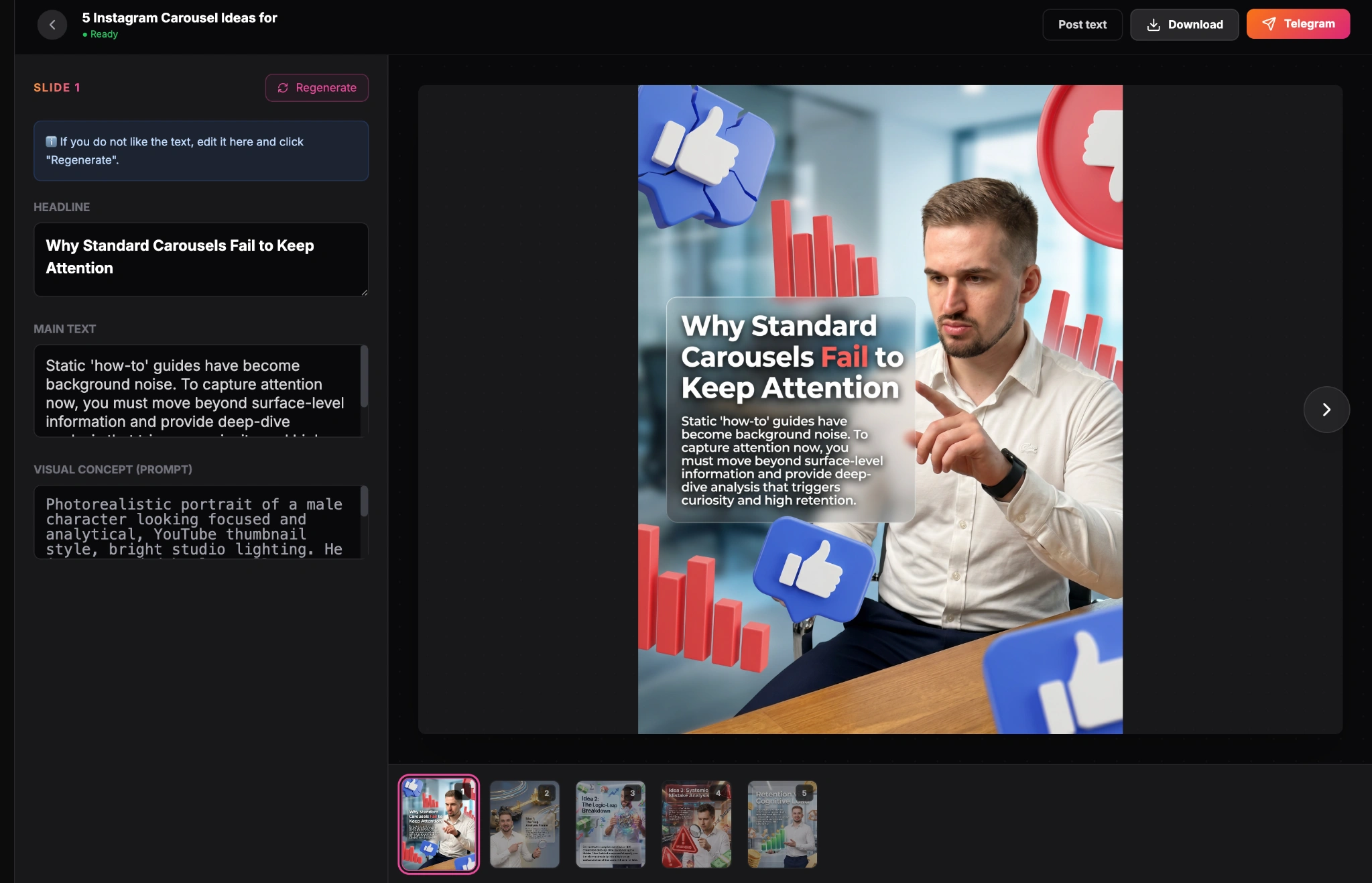
With a tool like GoToFlow, you can simply choose a topic or paste a draft, and the AI will automatically generate the slides using proven structures like the ones mentioned above.
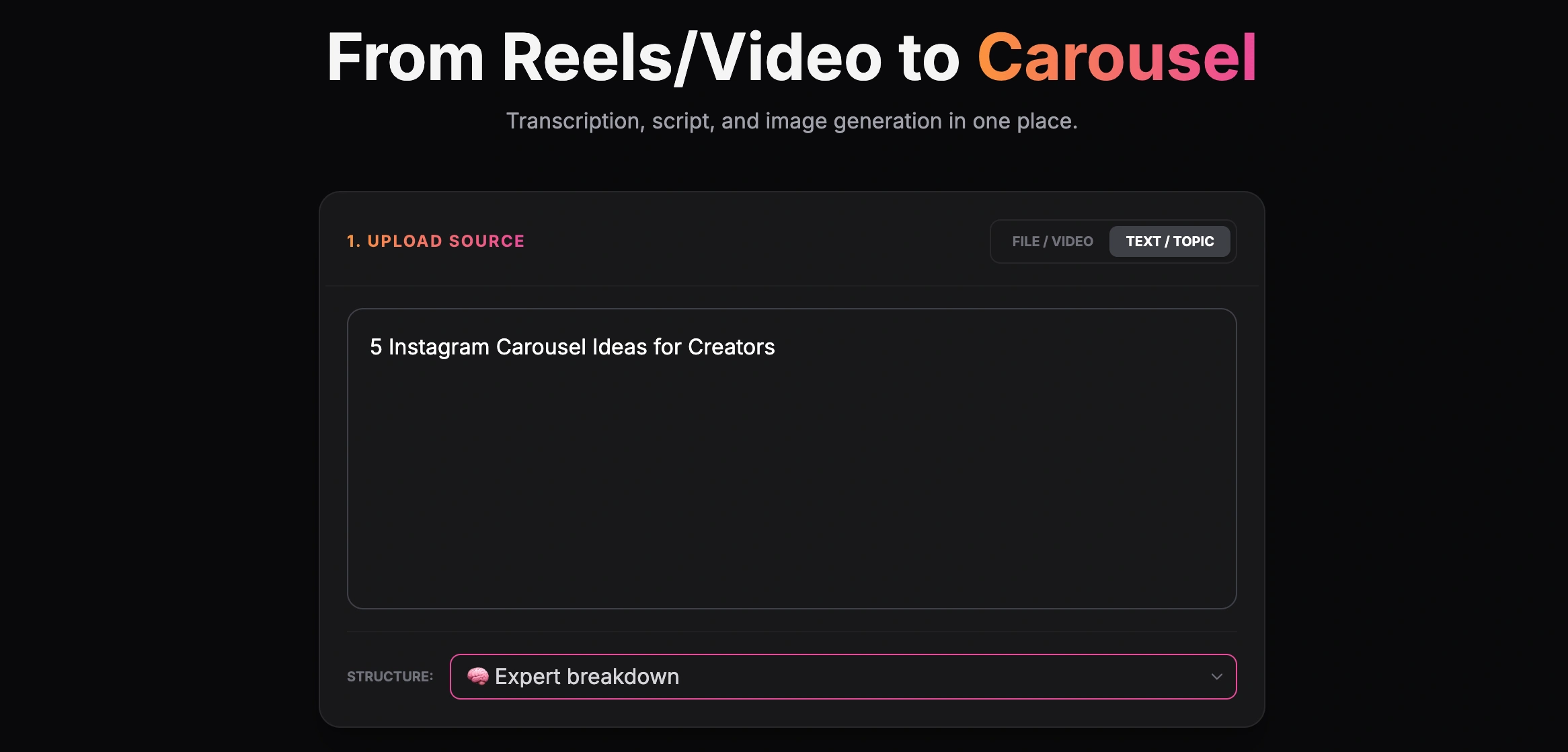
The platform automatically applies clean, high-converting design templates, ensuring your typography is legible and your text is perfectly aligned.
Conclusion

The best Instagram carousel examples prove that you do not need to be a professional designer to create viral content. By focusing on strong hooks, concise text, and structured frameworks, you can drastically improve your engagement.

PRODUCT WORKFLOW
Generate your next carousel

Stop staring at examples and start creating. Use AI to generate beautiful, structured carousels in seconds.

Workflow

Step-by-step phases

Phase 1Analyze
1

Study the Hook

Look at how the first slide grabs attention.

2

Observe the flow

Notice how short sentences pull the reader forward.

Phase 2Execute
1

Steal the structure

Apply the framework to your own topic using an AI generator.

Formats

Useful article formats

The Bold Statement

A highly readable, text-only slide that challenges a norm.

The Checklist

A scannable list broken down across multiple slides.

Explore more

Related tools and guides

FAQ

Frequently asked questions

Do I need complex design for a carousel to go viral?

No. Many of the highest-performing carousels from top creators use simple solid background colors and bold text. Content and readability matter more than complex graphics.

How can I replicate these examples quickly?

Instead of designing from scratch, use an AI Carousel Maker to instantly generate a clean, structured design based on your text.

Create your own viral carousel

Don't just look at examples. Generate a beautiful, structured carousel in seconds using AI.

Start Creating

Free to try — No design skills needed

Explore the maker →

We use necessary cookies to make GoToFlow work and may use optional cookies to improve the product and understand website usage. Your choice will be saved for future cookie settings. Privacy Policy