
Using the exact Instagram post size is critical for both visual quality and algorithm engagement. If your image is too small, it will look pixelated when compressed. If the aspect ratio is wrong, Instagram will aggressively crop out crucial parts of your photo or text, ruining your design.
For creators and brands publishing multi-slide carousels or text-heavy graphics, understanding exact dimensions is what separates a professional feed from an amateur one. This guide covers the exact pixel requirements for every feed format.
What you need to know
The 3 Main Instagram Post Sizes
Instagram supports three primary image orientations for the feed. Here is the exact breakdown of dimensions and when to use them.
1. Portrait (Vertical) Size
Portrait is the undisputed king of Instagram feed posts. Because most users browse the app on vertical smartphone screens, a 4:5 image takes up nearly the entire screen. This forces the user to pause their scroll, blocking out distractions from the post above or below yours. It is highly recommended for infographics, text-heavy posts, and multi-slide carousels.
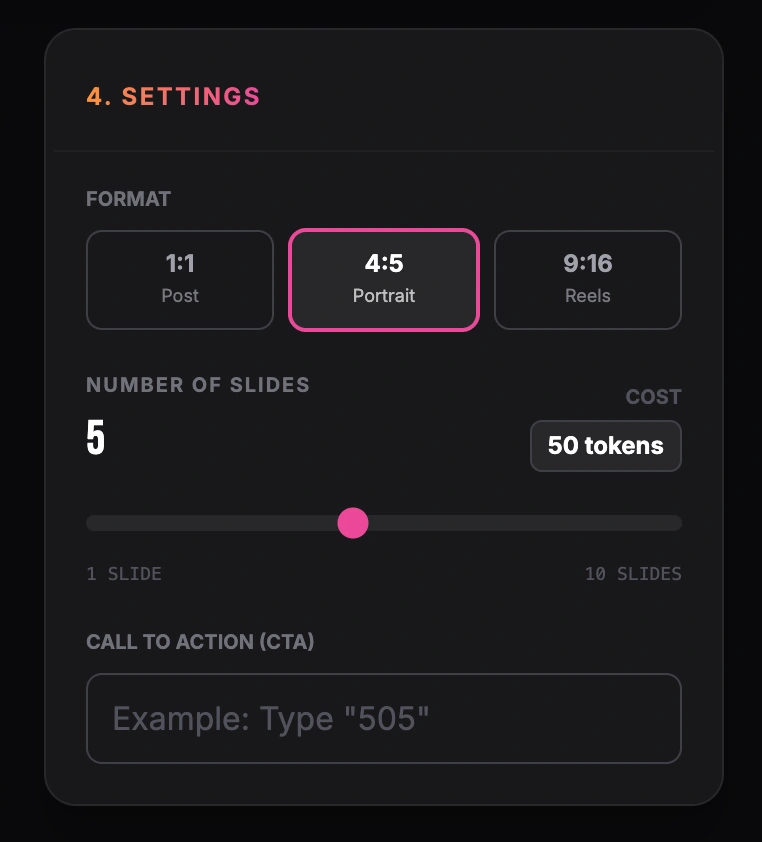
Setting format, number of slides and call to action
2. Square Size
The square format is Instagram’s original layout. While it doesn't take up as much vertical space as a portrait post, it remains a reliable and clean format. Square posts are particularly easy to manage because they look identical in the feed and on your profile grid (which displays all posts as 1:1 squares).
3. Landscape (Horizontal) Size
Landscape images are the most difficult to execute well on Instagram. They take up very little vertical space, meaning users can easily scroll past them in a fraction of a second. This format is typically reserved for uncropped photography or wide panoramic shots where the full width is absolutely necessary to tell the visual story.
Looking for content inspiration for these formats? Check out our Social Media Post Ideas guide.
Examples of Format Usage
Choosing the right format depends entirely on what kind of content you are sharing. Here are practical examples of when to use which size.
The B2B Educational Carousel (Portrait 4:5)
Format: 1080 x 1350 px.
Use Case: A marketing agency sharing "5 Ways to Improve Local SEO".
Why it works: The extra vertical height provides room for a large headline, 3-4 bullet points per slide, and readable body text without making the design feel cramped.
The Product Launch Shot (Square 1:1)
Format: 1080 x 1080 px.
Use Case: An e-commerce brand announcing a new sneaker colorway.
Why it works: The square crop focuses the user's eye directly on the product in the center of the frame and looks neatly aligned on the brand's Instagram profile grid.
The Event Photography (Landscape 1.91:1)
Format: 1080 x 566 px.
Use Case: A tech company posting a wide shot of their team on stage at a conference.
Why it works: It preserves the context of the wide room and fits all team members into the frame without cropping anyone out, even if it sacrifices some vertical screen space.
Practical Design Tips
Design for the swipe
When these dimensions are used for a multi-slide post, follow the Instagram carousel workflow to organize the slide sequence as well as the canvas size.
Since carousels are interactive, consider adding visual cues (like an arrow, a page number, or a continuous graphic that spans across the edge of the slide) to encourage the user to swipe to the next image.
Use portrait for text
If your carousel contains educational text, lists, or step-by-step guides, always use the 1080x1350 portrait size. The extra vertical space allows you to use larger, more readable fonts for mobile users.
Check your text contrast
Ensure your text is easily readable on small screens. Use bold fonts and high contrast between the text and background colors. If people have to squint, they will keep scrolling.
Common Formatting Mistakes
Mixing aspect ratios in a carousel
Instagram will force every slide in your carousel to match the aspect ratio of the first slide you select. If your cover slide is a square (1:1), all portrait (4:5) images behind it will be awkwardly cropped at the top and bottom.
Uploading low-resolution files
If you upload an image smaller than 320 pixels wide, Instagram will stretch it, making it incredibly blurry. Always export your final designs at exactly 1080 pixels wide.
Putting text in the "Grid Danger Zones"
When a portrait (4:5) image is viewed on your profile grid, it is automatically cropped from the center to form a 1:1 square. If you put important text (like a headline) at the very top or bottom edge of your 4:5 design, it will be cut off when users view your overall profile grid.
Formatting and resizing images manually for every social network can be a tedious process. While a normal photo is easy to upload, a multi-slide educational post requires strict adherence to design rules, safe zones, and aspect ratios. If you regularly share expertise, lists, or step-by-step guides, an automated tool like GoToFlow can transform your raw text into a finished carousel with the perfect Instagram portrait dimensions applied automatically, saving you hours of design work.